Govee Ceiling Light Ultra Review: Over the Top, and I Love It
The old light in my man cave was kind of dark. So I replaced it with the Govee Ceiling Light Ultra, and now I can see everything. It's bright, it looks cool, and it ties right into my gaming setup.
Here's why I bought it, how the install went, how it works with Apple Home and Homey, and the one thing that bugs me.
Check out the Govee Ceiling Light Ultra on Amazon
As an Amazon Associate I earn from qualifying purchases.
Why I bought it
Honestly? Because it looks cool. The main panel is a pixel matrix, so you can kind of see images and animations in it. That's not something you get from a normal ceiling light.
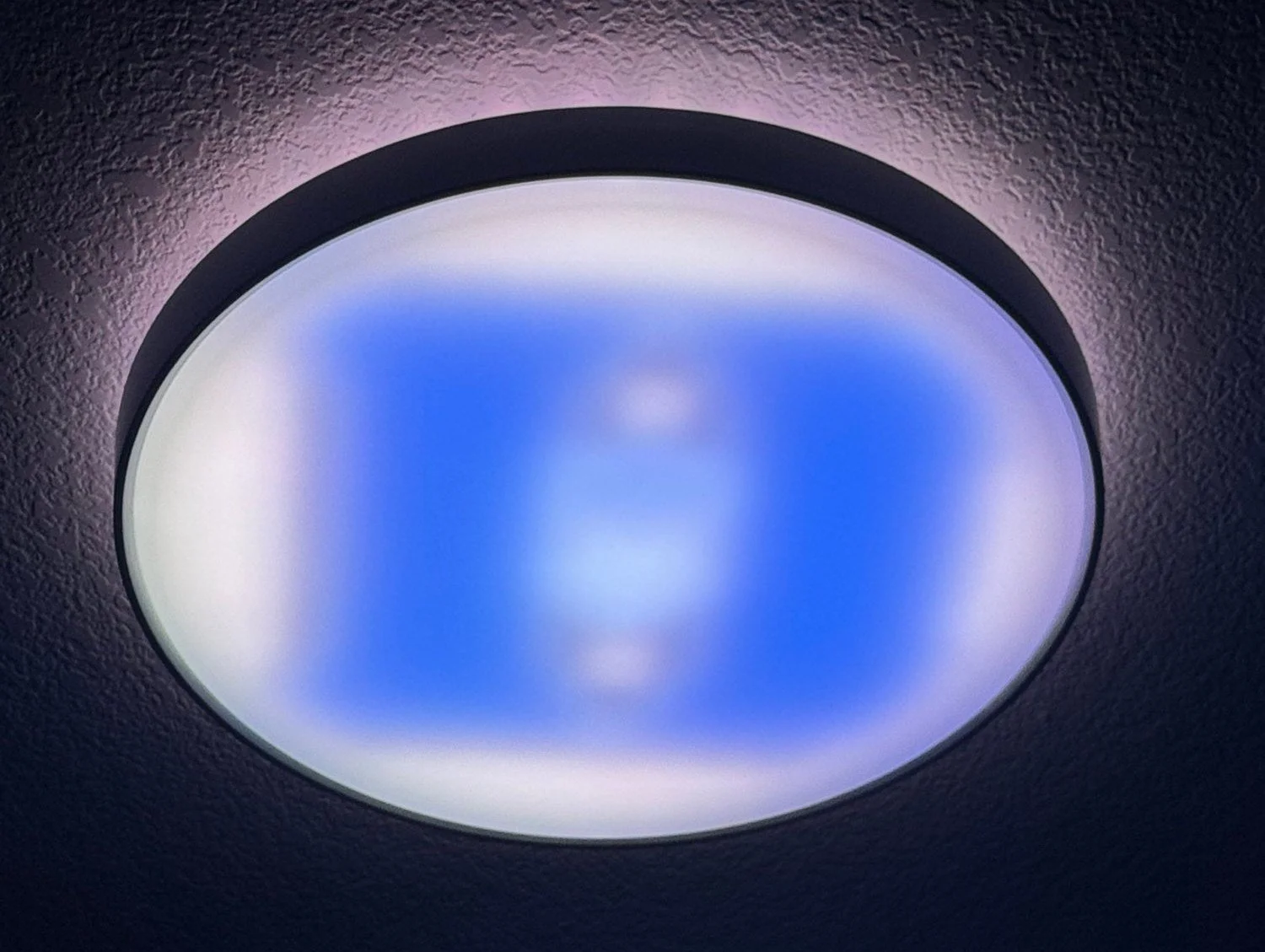
The pixel matrix up close. You can actually make out images in it.
The practical reason was brightness. My old light was dim, and I wanted something I could turn up. I knew I'd be able to adjust the brightness, but I was not ready for how bright this thing gets. I can definitely see everything now.
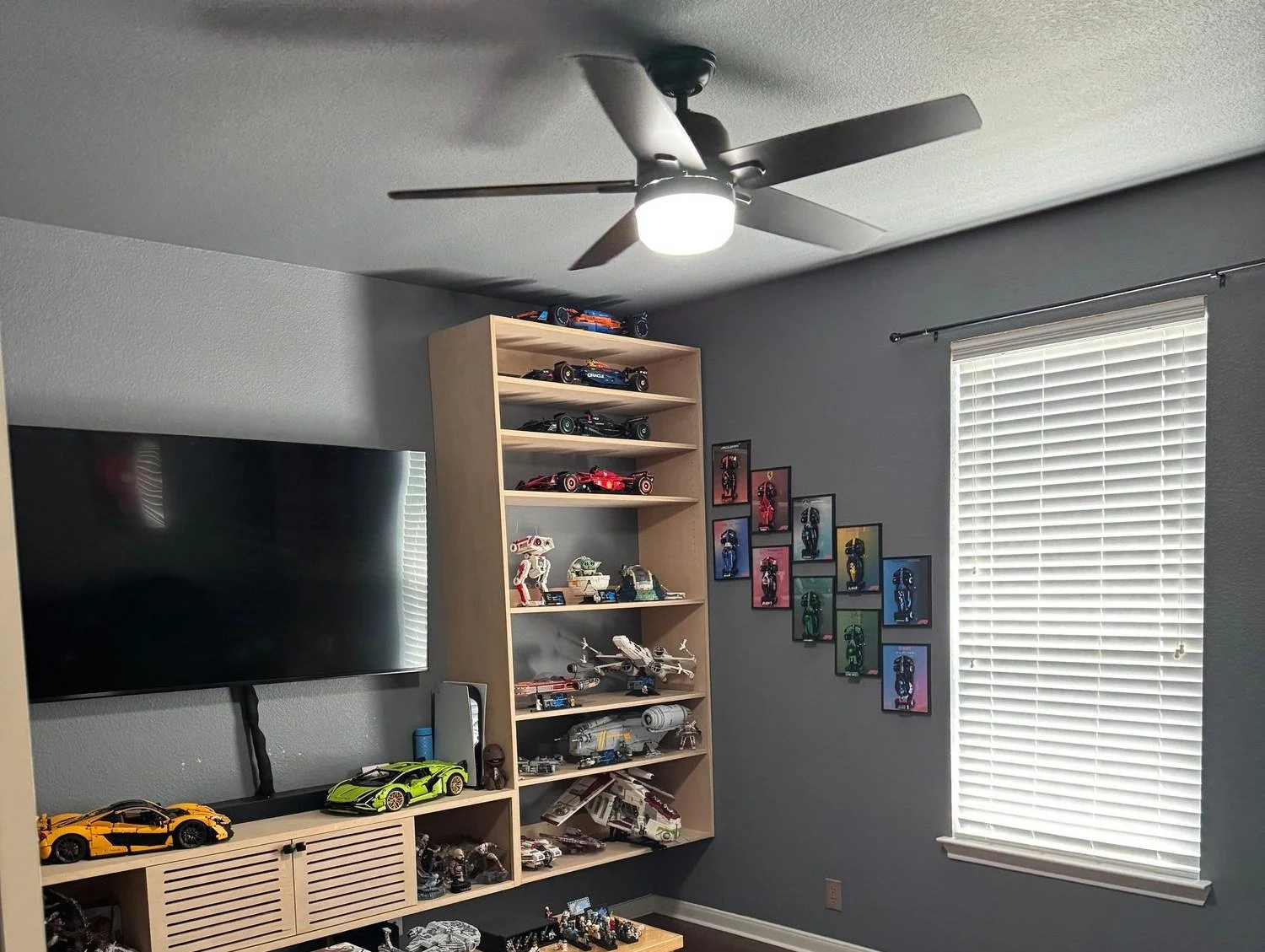
Before: the old ceiling fan light.
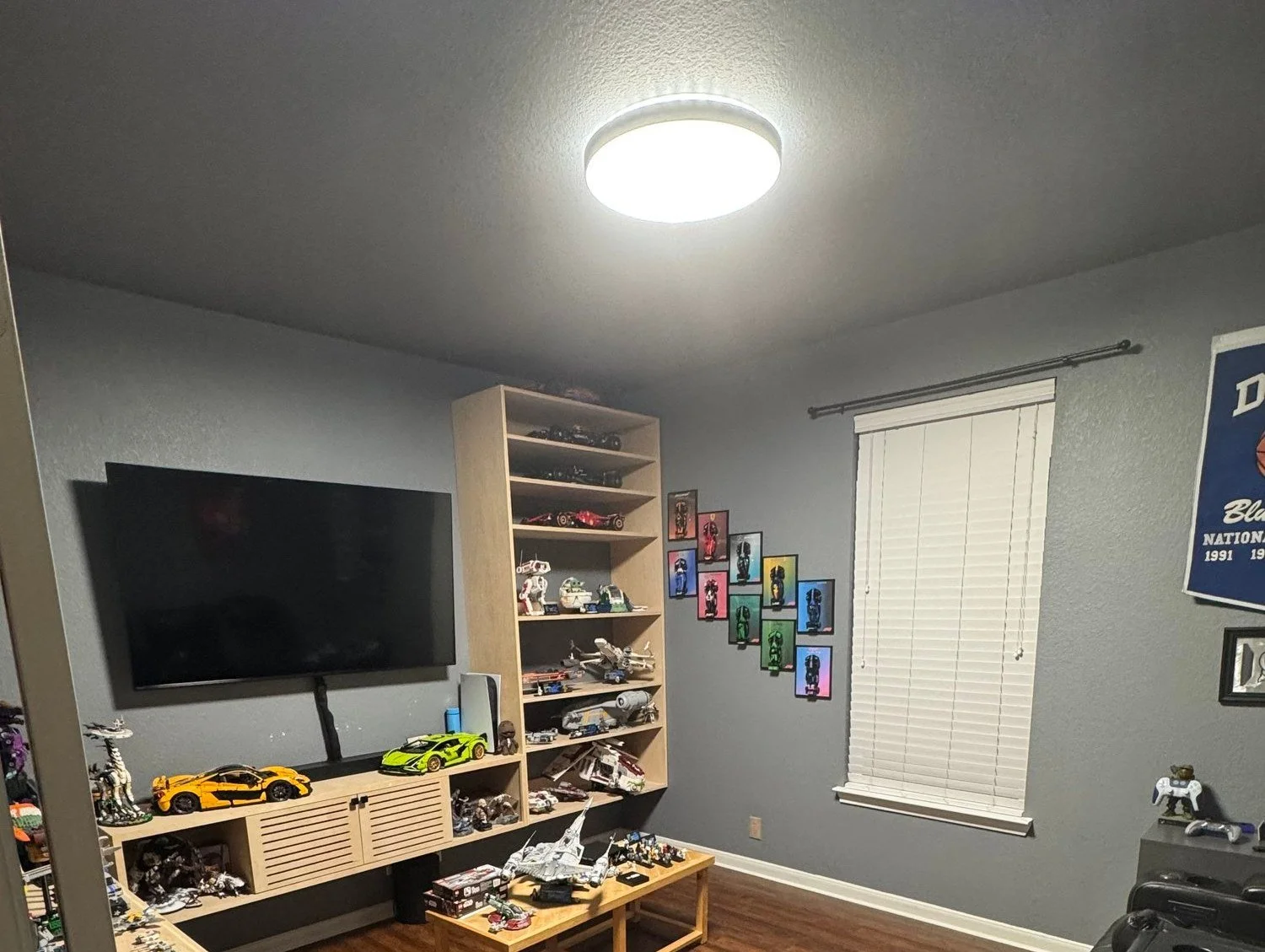
After: the Govee Ceiling Light Ultra. Same room, way brighter.
I also went with Govee because I'm already a fan of their products. And it's a Matter light, which means I could put it right into Apple Home.
Quick facts
| Govee Ceiling Light Ultra | |
|---|---|
| Model | H1270 |
| Size | 21 x 21 x 3 in |
| Brightness | 5,000 lumens, CRI 95 |
| White light | Tunable, 2700K–6500K |
| Pixel matrix | 616 pixels on the main panel |
| Light zones | 2: halo backlight (faces the ceiling) + main panel |
| Modes | Backlight only, main light only, or both |
| Power | 52W, 120V |
| Connectivity | Matter, Wi-Fi, Bluetooth |
| Works with | Apple Home, Alexa, Google Home, SmartThings (I use Apple Home + Homey via LAN control) |
| Install | Wago-style connectors, anti-fall safety tether, screws and anchors included |
Specs from Govee.
Install
The install was very simple, and everything you need is in the box. The light is big and heavy, but Govee thought about that.
Turn off the breaker. Always.
Mount the base plate. It comes with screws and wall anchors for extra support, since the light is heavy.
Clip the safety tether. There's a tether cable with a carabiner clip. It holds the light up while you do the wiring, which is a lifesaver on a solo job.
Connect the wires. It uses Wago-style lever connectors, which I love. No wire nuts.
Twist the light into the base plate. Done.
The hardest part was the shoulder soreness from holding a heavy light over my head. (Totally a joke. Mostly.)
Daily use in my man cave
The light has two zones, and you can run them three ways.
Backlight (halo): A ring at the top that faces the ceiling. It casts a soft, colorful glow on the ceiling and walls. Great for background lighting.
Main light: Where all the action happens. It has the bright tunable white light (2700K–6500K) for everyday use, plus the pixel matrix for custom visuals and animations.
Modes: Backlight only, main light only, or both together.
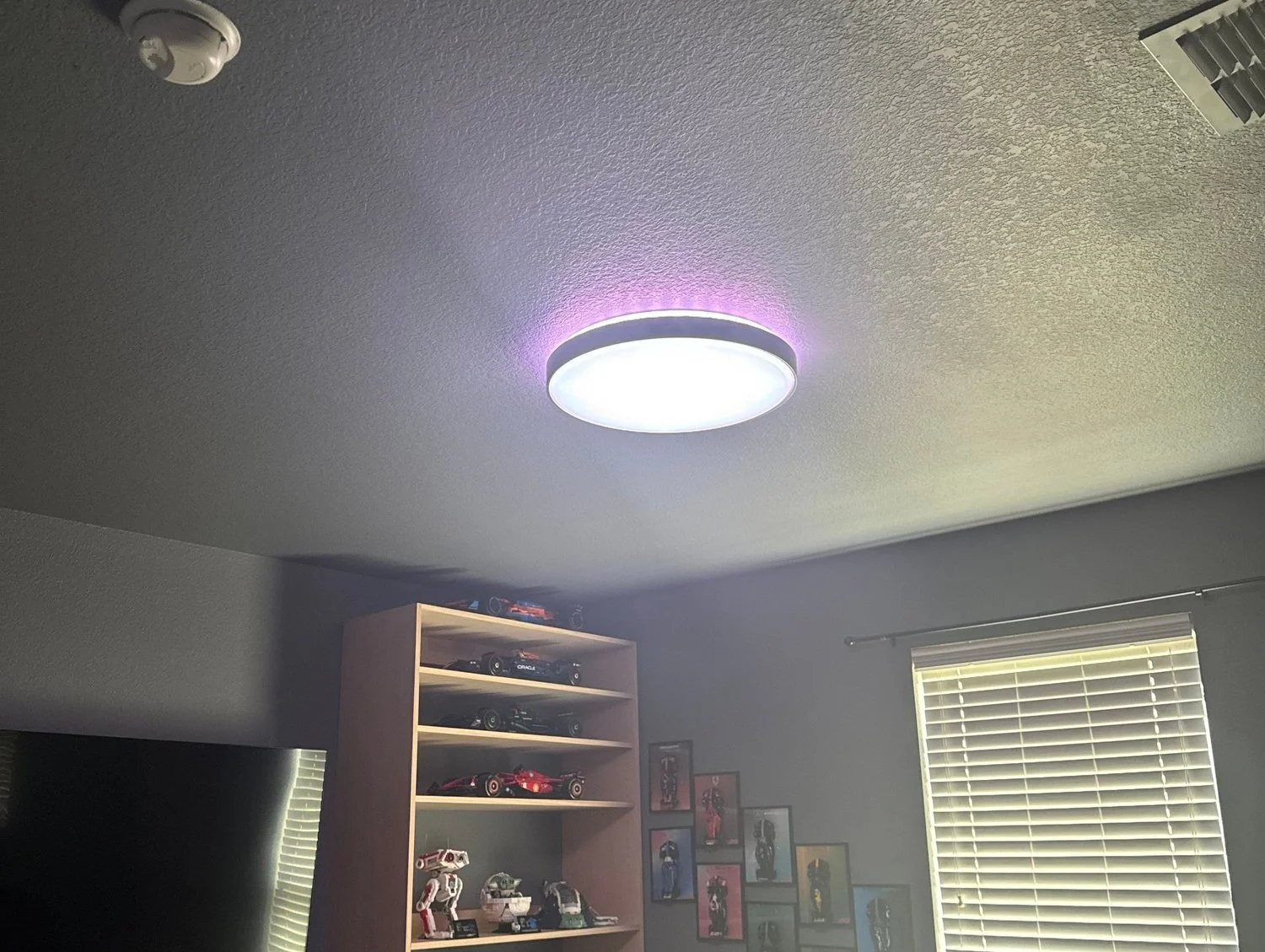
Both zones on: purple halo glowing on the ceiling, white main light below.
How it fits into my smart home
The light is in Apple Home through Matter over Wi-Fi. It's also connected to Homey using Govee's LAN control, so Homey talks to it right over my home network. Homey is where I run my automations.
My favorite one: when I turn on the TV, the ceiling light and my Govee sync box turn on with it. The sync box goes straight into DreamView mode. Since the PS5 and Switch are still off, the light dims to nothing.
Then I turn on a console, and that's when the magic happens. The ceiling light is linked to the sync box, so it reacts to the game along with the rest of the lights in the room.
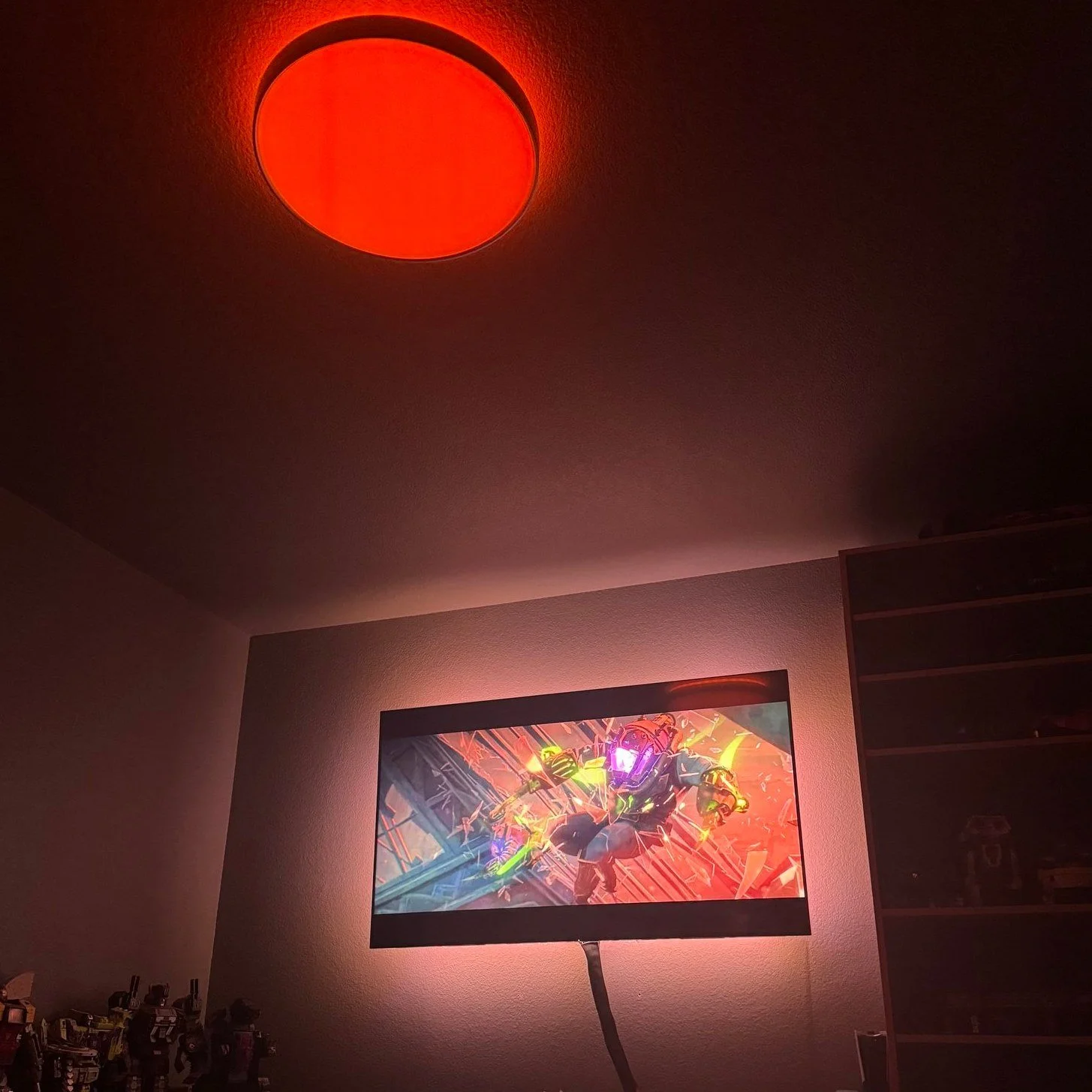
DreamView in action during a Netflix show: the ceiling light and TV backlight pick up the colors on screen.
And it's not just for gaming. DreamView works with whatever's playing through the sync box, so shows and movies light up the room too. In that shot, it's a Netflix show on my PS5 Pro.
I'll cover the full gaming setup in an upcoming post on my Govee sync box.
What I love and what bugs me
What I love
It looks great, and it's everything I thought it would be.
It's seriously bright. The dark-room problem is gone.
Pairing it with the sync box made gaming in the man cave a whole lot better.
The install is easy enough to do solo, thanks to the tether and Wago connectors.
What bugs me
All the cool features live in the Govee app. Apple Home and Homey only get the basics.
Something as simple as turning off just the halo light should be doable in Apple Home or Homey. It's not there, and that kind of sucks. If Govee adds it through Matter, that would be awesome.
Who it's for (and would I buy it again?)
Yes, I'd buy it again. But it's not for everyone.
If you just want a good, simpler smart light, Govee makes the 15-inch Smart Ceiling Light Pro. It works with Matter too, so it still goes right into Apple Home. If you're like me and love over-the-top gadgets, the Ceiling Light Ultra is the one.
Check out the Govee Ceiling Light Ultra on Amazon
Want to see the rest of my setup? Check out the Smart Home page and the gear I love and actually use.
As an Amazon Associate I earn from qualifying purchases. Some links in this post are affiliate links, which help support the channel at no extra cost to you.