Homey Pro mini Review: Why I Added It to My Apple Home Setup
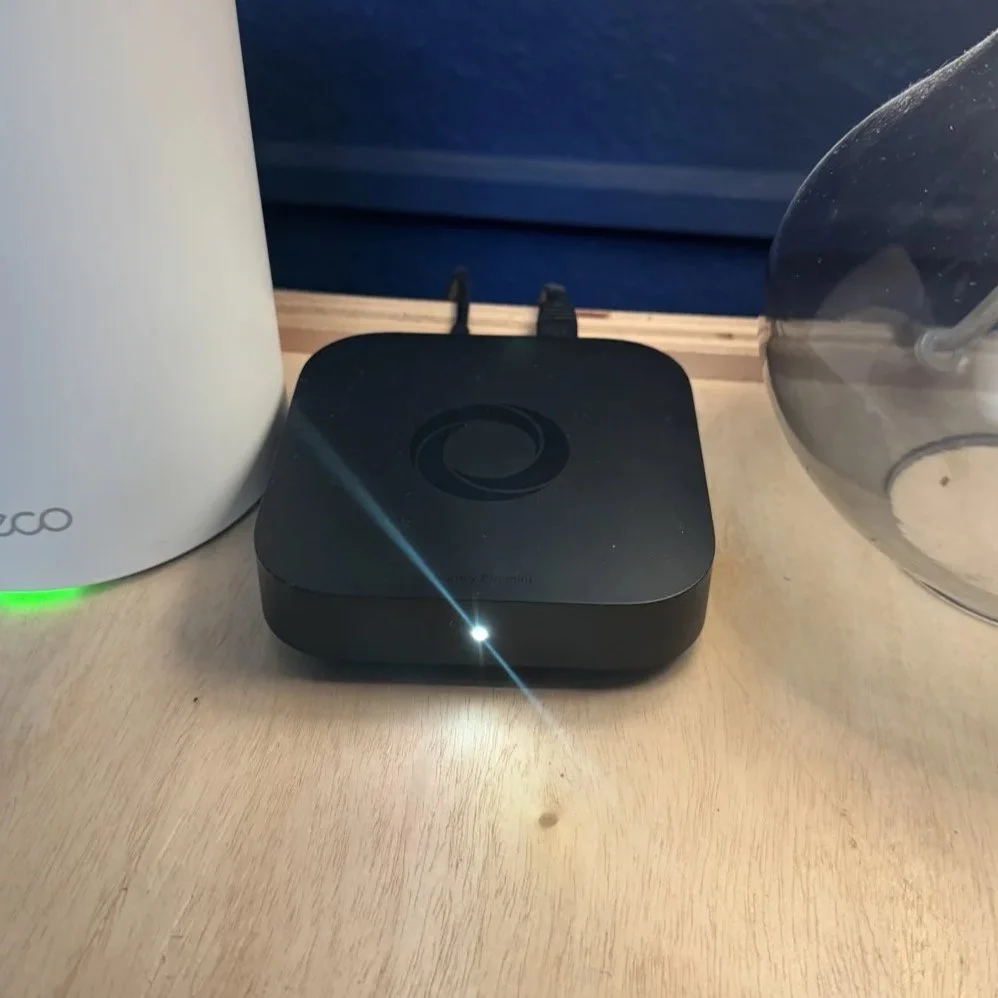
Get the one I use: Homey Pro mini on Amazon
Why I got it
Apple Home runs most of my house, but I kept hitting its limits. I wanted more advanced automations than Apple Home could handle, and I wanted to connect devices that just aren't available in Apple Home.
That's where the Homey Pro mini came in. I picked the mini because it was about half the price of the full Homey Pro. I wanted to dip my toe into advanced automations, and I couldn't justify the bigger price tag for something I was still testing out.
Setup
Setup was very simple. It was plug and play, and adding apps for each brand was easy.
The one hiccup: at first I struggled to get devices added in the Homey app. Once I got a few in, the rest were a lot easier. If you get stuck on your first couple of devices, stick with it.
What I control with it
Right now Homey runs 11 brands in one app:
Aqara
ecobee
Eve
Govee
LG ThinQ
Nanoleaf
Philips Hue
PlayStation
Sonos
SwitchBot
Tapo
Check out everything I use on my Smart Home Gear page.
Automations I run (Homey calls them Flows)
Nothing crazy here, just a few simple Flows that make the house run itself.
Bedtime lights. The living room and foyer lights turn on at sunset and off at 10 PM. During the week, that's our signal that it's time for bed.
TV mode in my room. When I turn on the TV, Homey turns on the light switch in the room and the Govee sync box. When the TV goes off, everything else turns off with it.
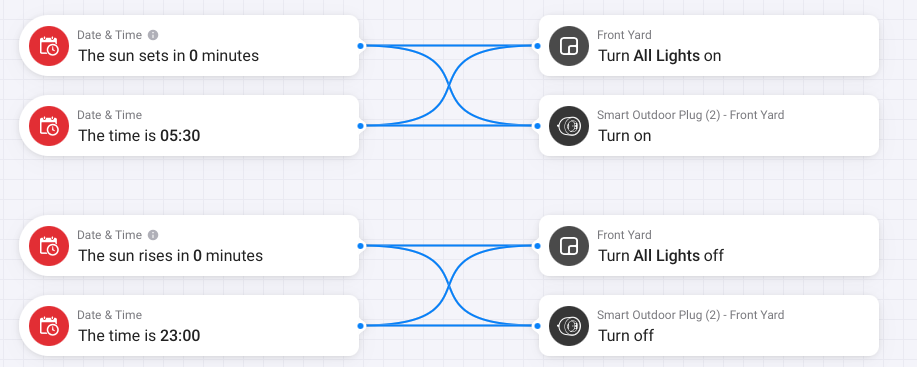
Front yard lights. The front yard lights and an outdoor smart plug turn on at sunset and again at 5:30 AM. They turn off at sunrise and at 11 PM.
The front yard Flow mixes brands that never talk to each other in Apple Home: Govee lights and Tapo light switches. That's exactly why I got Homey.
What I like and don't like
What I like
Freedom to get as creative as you want with automations, with very few limits.
It's easy to connect a bunch of brands and control them all in one app.
Same software as the full Homey Pro, so you're not missing any features or apps.
What I don't like
Only 1 GB of RAM. It gets tight as you add more apps. Homey says the mini handles about 20 to 25 apps comfortably, and the full Homey Pro has 2 GB.
Specs at a glance
| Homey Pro mini | Homey Pro | |
|---|---|---|
| RAM | 1 GB | 2 GB |
| Built in | Zigbee, Thread, Matter | Zigbee, Thread, Matter, plus Z-Wave, Wi-Fi, Bluetooth, Infrared and 433 MHz |
| Network | Ethernet only (no Wi-Fi) | Wi-Fi (Ethernet with an adapter) |
Need Z-Wave, Bluetooth, infrared or 433 MHz on the mini? Add the Homey Bridge (sold separately). Specs are from Homey's site as of October 2026.
Who it's for
The Homey Pro mini is for someone who wants more advanced automations without breaking the bank, and wants something simpler than Home Assistant. It's a great step from beginner to advanced automations.
If you're already on Apple Home like me, think of Homey as the brain that fills in the gaps. Apple Home stays the everyday app, and Homey handles the cross-brand stuff.
As an Amazon Associate I earn from qualifying purchases. Some links in this post are affiliate links, which help support the channel at no extra cost to you.